List View – new Lightroom plug-in
It’s been bubbling away for a while, and some people saw it late last year, but in the next few days I’ll be releasing a new plug-in – List View.
It does exactly what the name suggests and provides a list view which some of us feel is sorely missed in Lightroom’s Library. After all, it’s a lot easier to review your metadata in a list than by scanning a grid of thumbnails.
The plug-in currently provides 3 different views. This is the standard view where each row has 2 lines per item for up to 30 pictures, while compact and expanded views show smaller or larger thumbnails. The thumbnails, incidentally, are drawn from the catalogue itself and therefore show each picture in its adjusted state.
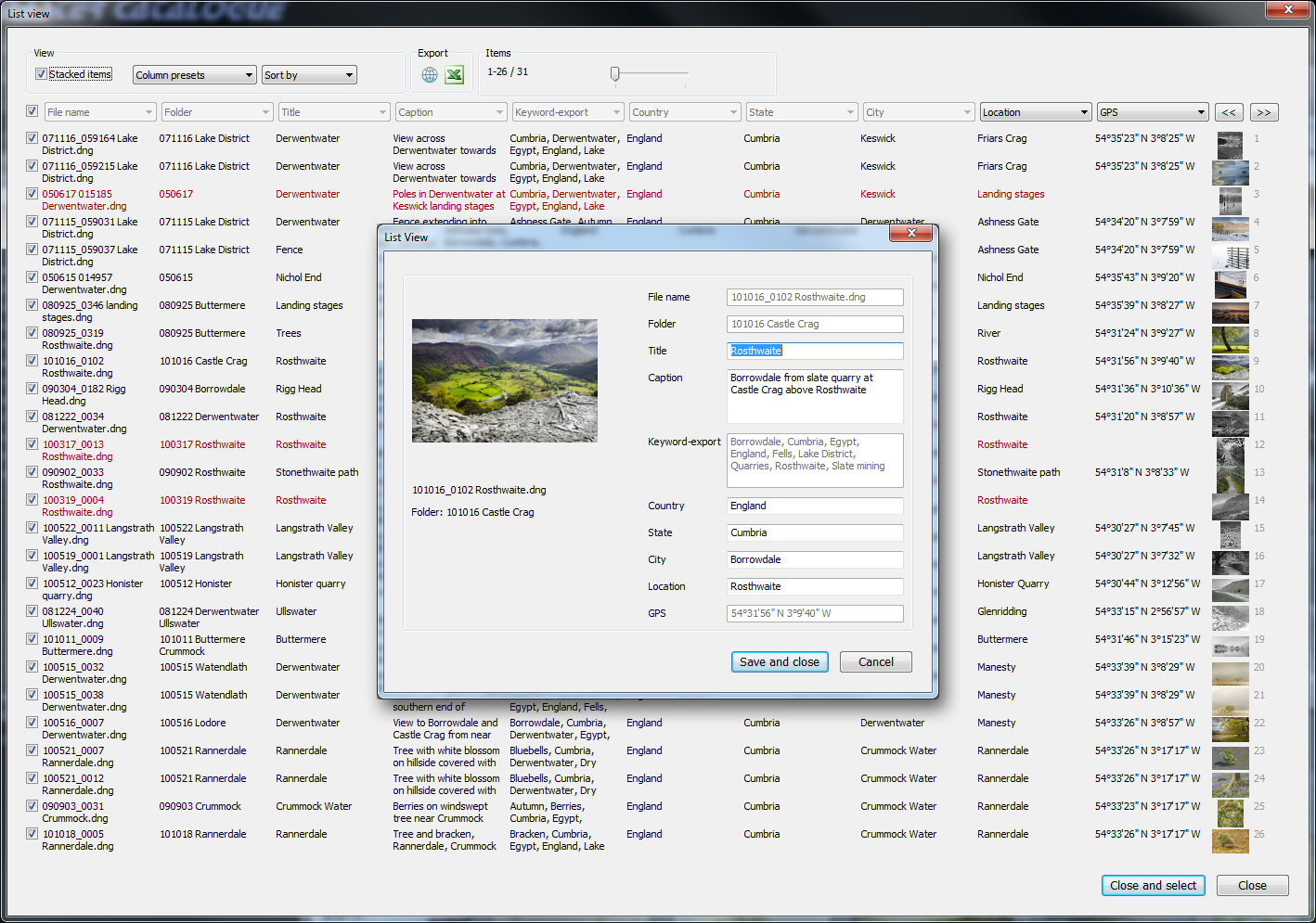
Once List View is displayed, scrolling through thousands of items is blazing fast. Note all 10 columns can be changed in registered version - 8 disabled in trial.
Other things you can do with List View:
- Change the information in any column
- Save columns as presets
- Sort by any column
- Export metadata to a browser
- Export metadata directly to Excel
- Edit metadata in a File Info panel
As with my other main plug-ins, it’ll be available from Photographer’s Toolbox. Pricing will initially be £8/$12 which may rise as I add other features. What better way to celebrate the Windsor family wedding?
Yes, yes, yes! This is exactly the type of features needed in Lightroom to take it from being a workflow oriented tool (a damn good one) to a complete DAM tool, all puns aside, of course.
Yes. This would be wonderful. And if you could ever figure out a way to re-import the data that was exported to a spreadsheet, it would be a way around much of the very clunky keyword interface in Lightroom, too.
Regardless, I’m buying this as soon as it’s available.
Re-importing isn’t the direction I was thinking of going, and it’s more likely I’ll turn it into something like a report writer (its original name was jbReporter) for formatted reports or data exports. But Lightroom’s SDK doesn’t provide nice things like tables or scrollbars, and the UI is clunkier than I’d like, so for now I’ve concentrated on it doing just a few things well.
Looks fun. I’m not totally sure when I might need this, but I have seen a few other people calling for it. I’m amazed at what you’re able to pull out of Lightroom!
I just noticed the pop up window… Does that allow for editing of the metadata? That could be could if you could put next and previous arrows instead of just a simple Save and Close button. Even better would be a way to advance using a keyboard shortcut (ctrl+left and ctrl+right arrows perhaps to match the LR UI). I may just be dreaming but if that’s something you can add then I can definitely see how this would be useful for metadata entry!
That’s the idea. It’s for editing metadata, though only those which LR allows (ie not EXIF) and not keywords because I can’t easily get at the hierarchy. A next and previous button is planned.
Hi John,
When do you think it will be available for download?
Thanks,
Mark
Probably in the next couple of days, Mark.
Aaaah, the meta plugin killer ! I want it !
And, for the next plugin idea :
-a keyword editor with a large window and other cool tools !
-IPTC scenes/categories editor
- …
Stéphane
Waouh ! Superbe. I want it too ! And how long does a couple of day take in English ? Merciiiiiiiiiiiii
This week!
weeks are so looooooooong in UK…
come on, you’re such a tease !
Looks very nice! I was thinking about similar plugin myself, but for editing, so that the metadata would be presented in a spreadsheet like way, but since it would need to be external app I never got around to actually start writing the glue code.
How did you manage to get the thumbnail previews?? I can’t see anything about those in LR3 SDK!
Are you planning support for develop settings? I guess it could be useful for quickly checking that you do not have not made some stupid mistakes like no noise reduction in some pictures O:-)
I did consider editing within the main spreadsheet view but lots of Lightroom edit boxes are pretty ugly and there’s no way to style them. I can’t say more about the thumbnails – sorry.
Develop settings aren’t in it now, but I see no reason why I shouldn’t add them! Not immediately though.
I did a little digging on my own, haven’t found a way to show previews (yet
but I found lots of other hidden UI components, some of which might be useful.
Exellent !
The plug is it downloadable for Mac
The week English is it different ?
I’m buying this…
It is Mac and PC. I’m just finishing some small changes.
I would be very interested. When does he have to go out?
Very soon!
The solution I was looking for!
I am realy interested to test it very soon.
Michel
This does look very useful and likely worth the small amount necessary to make the purchase.
But, oh? Where can one buy this tempting tool?