OpenDirectly 3.1
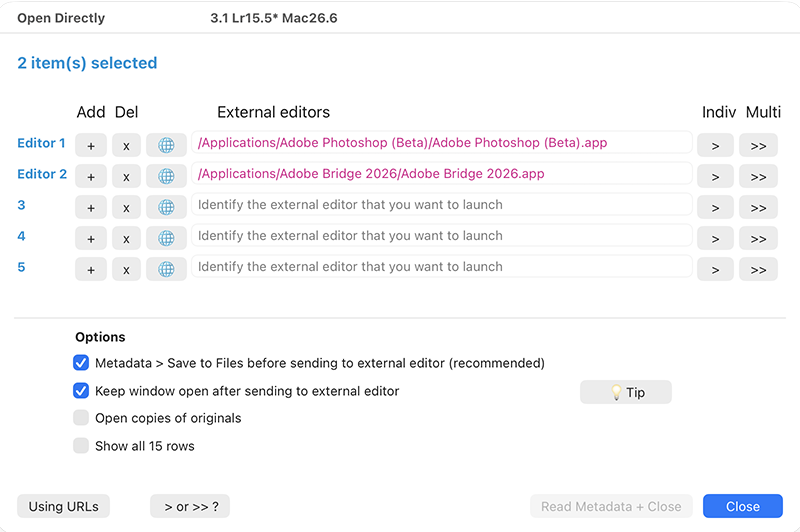 I’ve released a couple of updates to my OpenDirectly plugin which opens selected file(s) in other applications without converting them into TIFs, PSDs or other formats.
A new workflow – sending a file to Adobe Camera Raw – has become more useful this year after Adobe introduced the AI-powered Generative Expand option in Crop. Sadly, only Adobe Camera Raw and the cloudy “Lightroom Desktop” are getting its UI, the underlying engine, and the related AI credit-charging mechanism.
Lightroom Classic can only process the files, and maybe other AI-powered generative AI features will also be marooned in ACR or Cloudy Lightroom.
But as mentioned in this post, you can get round the limitation by doing the Generative Expand work in ACR. So I have updated OpenDirectly to make this easier.
- Set Photoshop as an external editor.
- I recommend creating a keyboard shortcut to the Quick Access URL to send the file to Photoshop
- OpenDirectly has an option to saves your Lightroom work to the file
- Another option is to leave the OpenDirectly window open, so after doing the Generative Expand in ACR and returning to Lightroom you are reminded to do a Read Metadata to bring the results into your catalogue